
The Divi-Modules logo
  • Products
    • All Access
    • Accessibility
    • AuthorAI
    • Hide & Show
    • Hide & Show PRO
    • Image Box
    • Simple Heading
    • Table Maker
    • TablePress Styler
    • Text-On-A-Path
    • Typewriter
  • Affiliates
    • About
    • Agreement
    • Registration
  • Account
    • Log In
    • Reset Password
  • Support
    • Divi 5.0 Update
    • How To Install
    • How To Upgrade
    • Contact
  • Docs
  • Shop
    • Cart
    • Checkout
  • Log In
  • Products
    • All Access
    • Accessibility
    • AuthorAI
    • Hide & Show
    • Hide & Show PRO
    • Image Box
    • Simple Heading
    • Table Maker
    • TablePress Styler
    • Text-On-A-Path
    • Typewriter
  • Affiliates
    • About
    • Agreement
    • Registration
  • Account
    • Log In
    • Reset Password
  • Support
    • Divi 5.0 Update
    • How To Install
    • How To Upgrade
    • Contact
  • Docs
  • Shop
    • Cart
    • Checkout
  • Log In

Documentation

  • Typewriter
    • About
      • Requirements
      • Installation
      • License (Divi-Modules)
      • License (Divi Marketplace)
    • Content Tab
      • Typewriter Content
      • Typewriter Static
      • Typewriter Element
      • Typewriter Element (Text)
      • Typewriter Element (Heading)
      • Typewriter Element (Existing)
      • Typewriter Trigger
      • Typewriter Hiding
      • Typewriter Timing
      • Typewriter Loop
      • Typewriter Cursor
    • Design Tab
      • Content
      • Prefix
      • Suffix
      • Blockquote
    • Advanced Tab
      • Custom CSS
    • Examples
      • Actions (Overview)
      • Actions (Details)
      • Actions (Example)
      • Reserved Characters
      • Existing Elements
      • Triggering (Example 1)
      • Triggering (Example 2)
      • Triggering (Example 3)
    • Known Issues
      • Autoptimize
      • LiteSpeed Cache
      • SG Optimizer
      • WP Rocket
  1. Docs
  2. Typewriter
  3. Content Tab
  4. Typewriter Loop

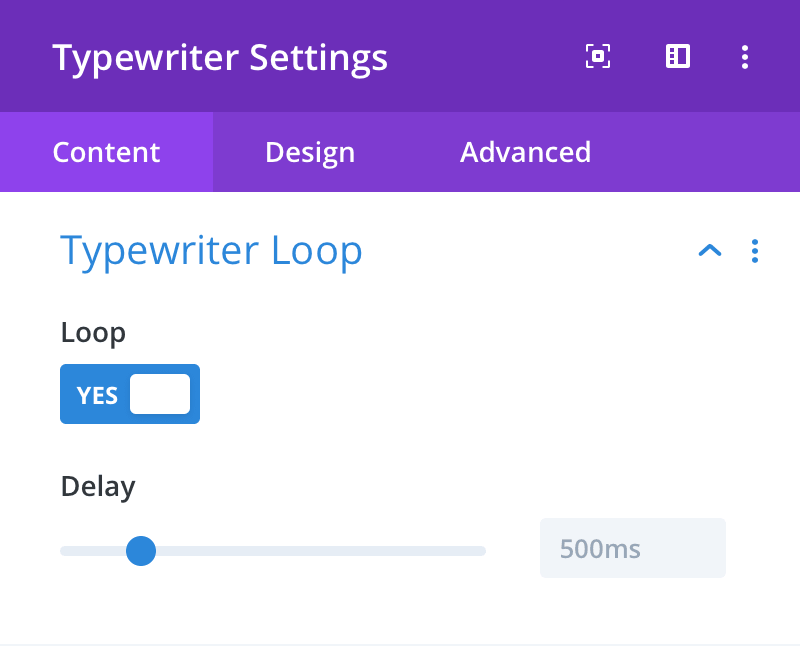
Typewriter Loop

Loop Content

Here the typewriter can be set to continually loop. If set to YES, when typing has finished the typewriter will first delete all content and then restart typing from the beginning.

Loop Delay

Here you can set the amount of time between loops.
Documentation image
Prev Next

Still need help?

If you didn’t find what you were looking for, please contact us.

Contact

Divi-Modules Newsletter

Subscribe for news and discounts!

Subscription Form
  • Affiliate Disclosure
  • Product License
  • Terms & Conditions
  • Privacy Policy
  • Accessibility Statement

© 2026 Divi-Modules

Divi is a registered trademark of Elegant Themes, Inc.
This website is not endorsed by Elegant Themes.

Some links on this website are affiliate links. Find out more