
The Divi-Modules logo
  • Products
    • All Access
    • Accessibility
    • Table Maker
    • Simple Heading
    • TablePress Styler
    • Hide & Show PRO
    • Hide & Show
    • Typewriter
    • Text-On-A-Path
    • Image Box
    • AuthorAI
  • Affiliates
    • About
    • Registration
    • Agreement
  • Account
    • Log In
    • Reset Password
  • Support
    • Divi 5.0 Update
    • Testimonials
    • How To Install
    • How To Upgrade
    • Contact
  • Docs
  • Shop
    • Cart
    • Checkout
  • Log In
  • Products
    • All Access
    • Accessibility
    • Table Maker
    • Simple Heading
    • TablePress Styler
    • Hide & Show PRO
    • Hide & Show
    • Typewriter
    • Text-On-A-Path
    • Image Box
    • AuthorAI
  • Affiliates
    • About
    • Registration
    • Agreement
  • Account
    • Log In
    • Reset Password
  • Support
    • Divi 5.0 Update
    • Testimonials
    • How To Install
    • How To Upgrade
    • Contact
  • Docs
  • Shop
    • Cart
    • Checkout
  • Log In

Documentation

  • TablePress Styler
    • About
      • Requirements
      • Installation
      • License (Divi-Modules)
      • License (Divi Marketplace)
      • TablePress Plugin
      • Documentation & Support
    • Table Features
      • Table Parts (Core)
      • Table Parts (Modules)
      • Table Elements (Core)
      • Table Elements (Modules)
      • Table Borders & Colors
      • Table Content
    • Content Tab
      • Table: ID
      • Table: Setup
      • Table: Elements
      • Table: Columns
      • Table: Rows
      • Table: Parameters
      • Mod: Action Buttons
      • Mod: Responsive Tables
      • Mod: Index Column
      • Mod: Fixed Rows
      • Mod: Fixed Columns
      • Mod: Row Order
      • Mod: Row Filtering
      • Mod: Column Filtering
      • Mod: Column Filter Dropdowns
      • Ext: Auto URL Conversion
    • Design Tab
      • Table: Name & Description
      • Table: Elements
      • Table: Spacing
      • Table: Cells
      • Table: Text & Headings
      • Table: Headers & Footers
      • Table: Icons
      • Table: Buttons
      • Table: Colors
      • Table: Borders
      • Fixed Columns: Left
      • Fixed Columns: Right
    • Advanced Tab
      • Custom CSS
    • Shortcodes
      • Icons
      • Buttons
  1. Docs
  2. TablePress Styler
  3. Content Tab
  4. Ext: Auto URL Conversion

Ext: Auto URL Conversion

Requires: TablePress Automatic URL Conversion extension. Download the extension and see the documentation at: https://tablepress.org/extensions/automatic-url-conversion/

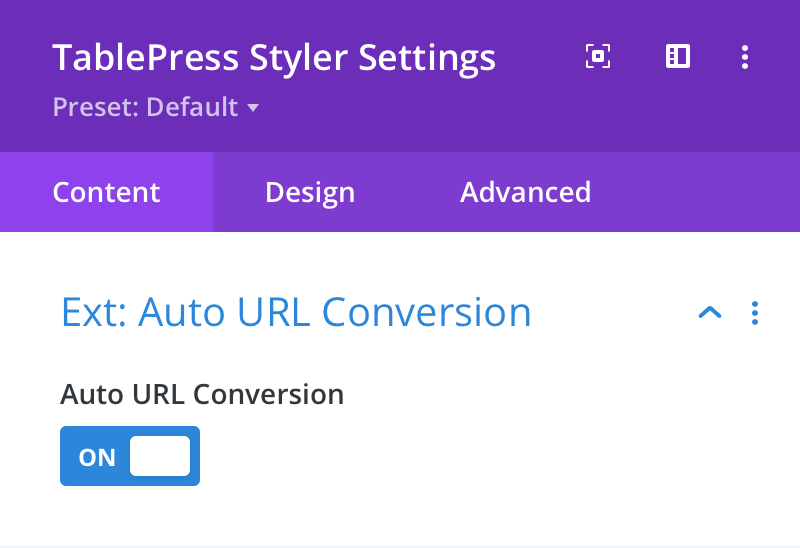
Auto URL Conversion

Here you can choose to enable automatic URL conversion. When enabled, any URL (eg. www, ftp or email) found in the table content will be converted into a clickable link.
Documentation image
Prev Next

Still need help?

If you didn’t find what you were looking for, please contact us.

Contact

Divi-Modules Newsletter

Subscribe for news and discounts!

Subscription Form
  • Affiliate Disclosure
  • Product License
  • Terms & Conditions
  • Privacy Policy
  • Accessibility Statement

© 2026 Divi-Modules

Divi is a registered trademark of Elegant Themes, Inc.
This website is not endorsed by Elegant Themes.

Some links on this website are affiliate links. Find out more