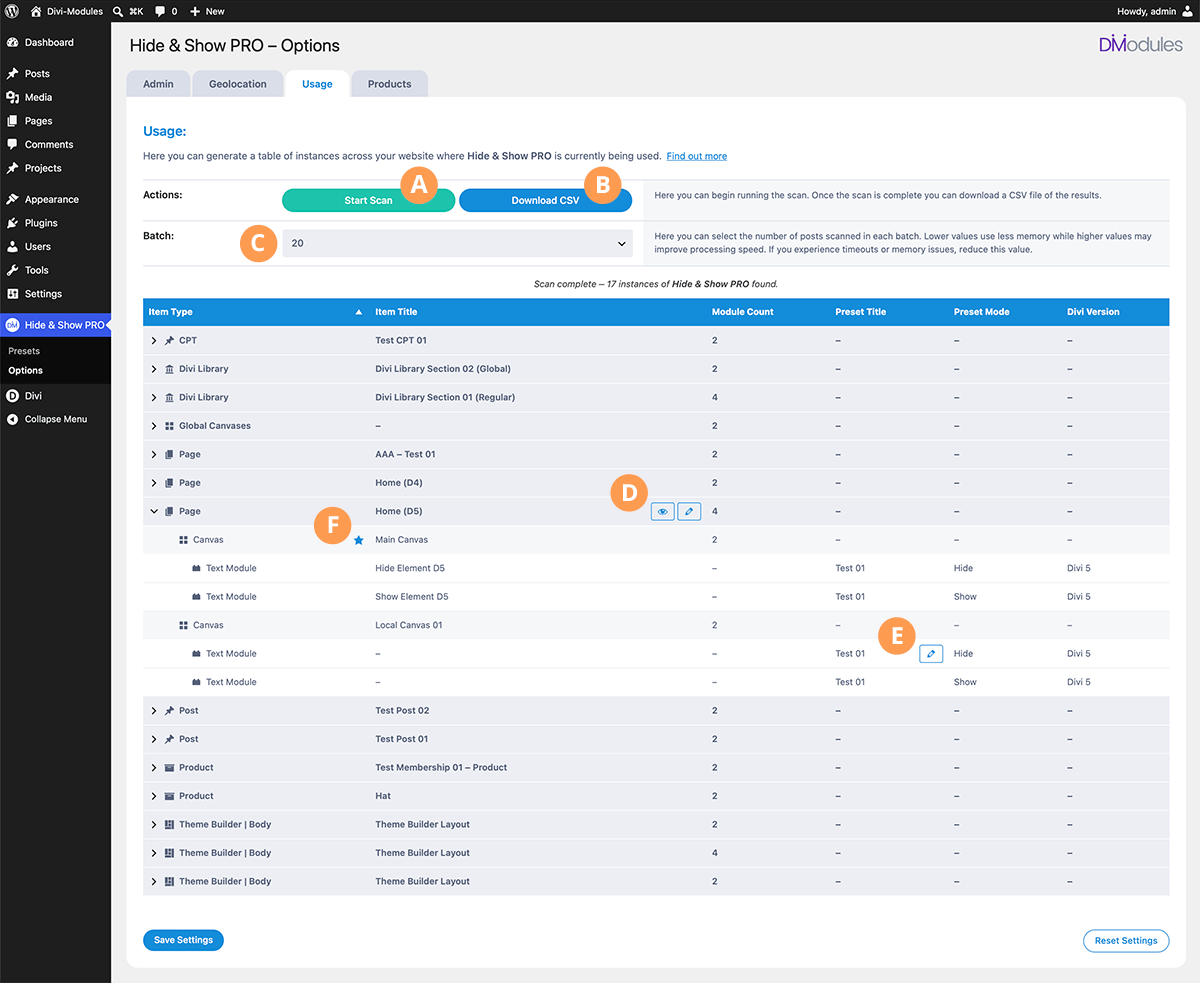
Usage Page
Here you can generate a table of instances across your website where Hide & Show PRO is currently being used.
A) Start Scan
Here you can begin running the scan.
B) Download CSV
Here you can download a CSV file of the results, once the scan is complete.
C) Batch
Here you can select the number of posts scanned in each batch. Lower values use less memory while higher values may improve processing speed. If you experience timeouts or memory issues, reduce this value.
D) Post View/Edit
Here you can view or edit a post where Hide & Show PRO is currently being used.
E) Preset Edit
Here you can edit the Preset which is currently begin used.
F) Active Canvas
Indicates which is the currently active canvas.